
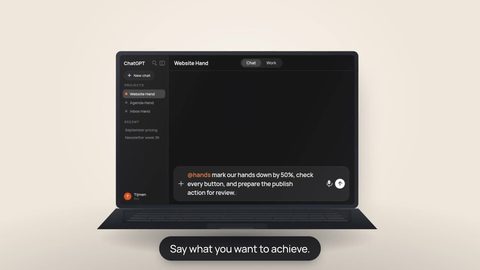



A Hand can write pages, reorganize content, fix styling and keep making changes later. The important part is not giving it the biggest possible technical stack. It is giving it a small set of systems with clear jobs, so the website has somewhere stable to live and a predictable path from a change to a published result.
For a brochure site, portfolio, landing page or simple company website, a domain plus GitHub and Cloudflare can already be enough. Do not add a database, CMS or extra service just because you might need one someday.
The minimum stack: domain + GitHub + Cloudflare
The one thing Hands cannot remove from the equation is ownership of your domain. You need a domain you control. Once you have that, split the rest into two simple responsibilities.

Your pages, styles, assets and change history live in a repository. The GitHub MCP connection offers tools to read your repository. Whether your Hand can change files depends on the server and the permissions of your GitHub token.

The MCP connection uses a scoped Cloudflare API token. Which deployment, DNS, Workers or other Cloudflare tools are actually exposed depends on the provider MCP server and that token rather than a fixed Hands action list.
With those roles separated, a later request can be about the result instead of the plumbing:
“Add a page for enterprise customers, update the navigation and publish the new version.”
The exact execution still depends on the repository, the Cloudflare account, the remote MCP tools exposed by each provider and the credentials you connect. The useful part is that the website no longer lives as a one-off export on somebody's laptop. It has a source of truth and a repeatable deployment path.
Already have a website? Use the public site as source material.
If you are replacing an existing public website, you do not always need to start from a blank page. Firecrawl is available in the MCP catalog. Its current connection supports the documented search, scrape and map tools. With a Firecrawl API key, that can give your Hand useful public source material before rebuilding the site in GitHub.
“Map the public pages on our current site, preserve the useful copy and information architecture, then rebuild a cleaner static version in the new GitHub repository.”
That is not the same thing as an automatic migration. A public crawl cannot magically reproduce private databases, logged-in areas, form processing, checkout logic, server configuration, redirects or every third-party integration behind the old site. Treat scraping as a way to recover public content and structure, then deliberately rebuild what the new site actually needs.
Use it when public source material saves real work. The connection uses an API key and documents search, scrape and map; your Firecrawl plan and credits still apply. GitHub + Cloudflare remain the core website setup.
Need a form to send you an email? Add a mail service, not a whole backend.
A static website stops being completely static when a visitor needs to submit something. A contact form is a good example. The browser should not contain a secret mail API key, so the clean pattern is a small server-side endpoint — for example a Cloudflare Worker or Function — that validates the submission and asks Resend to send the email.
Cloudflare FunctionValidates it server-side. No mail secret in the browser. ResendSends the email through the protected server route.
Resend is the transactional mail provider in this example. The architecture stays the same regardless of the current Hands connection route: the form submits to a server-side Function or Worker, which calls Resend without placing mail credentials in the browser. The available Hands App, Plug-in or Connector route for Resend can change without requiring you to redesign the website architecture.
If all you need is “send this contact request to [email protected],” that is still a small website. You have added one narrow capability, not committed yourself to a large application architecture.
Only add Supabase when the website actually needs to remember things.
Many websites do not need a database. If all content lives in the repository and every asset ships with the site, GitHub and Cloudflare may remain enough for years.
Supabase becomes useful when your site turns into an application: persistent records, user accounts, dynamic content, application logic or larger external storage can justify a separate data layer. Supabase is available in the MCP catalog and the connection uses a scoped personal access token. Which project or database tools are actually available depends on the provider MCP server and that token, so do not assume every Supabase administration surface is exposed.
- Six product images? Keep them with the site unless there is a real operational reason not to.
- Hundreds of customer uploads? External object storage starts to make sense.
- Profiles, submissions or structured records? A database starts to make sense.
- Users signing in? You now have an application architecture to design, not just a static website.
A practical setup order
- Buy or choose the domain you want to use. Keep ownership and billing under your control.
- Create a GitHub repository for the site. Make it the durable source of truth instead of a folder somebody periodically uploads.
- Connect GitHub to the Hand that will maintain the website. Use a provider token with only the repository authority the job needs and inspect the MCP tools that connection actually exposes.
- Create or connect the relevant Cloudflare setup. Configure the deployment path you want, then use a scoped Cloudflare API token for the MCP connection.
- Build the smallest working version and publish it. Make sure edits can move from GitHub to the live site reliably through the tooling you actually configured.
- Add one extra service only when a concrete requirement appears. Firecrawl for public migration input, a mail provider such as Resend for email, or Supabase for persistent application data.
Do not build an architecture for hypothetical future features. A simple site should stay simple. Your Hand can extend the stack later when the next real requirement arrives.
What each connection is actually for
Keeping the roles explicit makes the whole setup easier to reason about:
GitHubMCP connector available in Hands. Repository tools and permissions depend on the server and your GitHub token.CloudflareMCP connector available in Hands. Infrastructure tools depend on the server and the permissions of your API token. FirecrawlMCP connector for the documented public-web search, scrape and map tools.ResendMail provider for forms and transactional email. Use Resend server-side; the current Hands connection route can change without changing the website architecture.
 SupabaseMCP connector for an optional data layer. Tools depend on the server and the permissions of your personal access token.
The goal is not more connectors. It is a website with a clear home.
The useful end state is boring in the best possible way: your domain points to a site that can be rebuilt from GitHub, Cloudflare knows how to serve it, and every extra service exists because one specific requirement justified it. That gives your Hand a stable environment it can come back to next week, next month or after ten more changes.
Start with the two connections that give your website a source and a way online.
Connect GitHub and Cloudflare to the Hand that will maintain the site. Add the rest only when the work calls for it.