
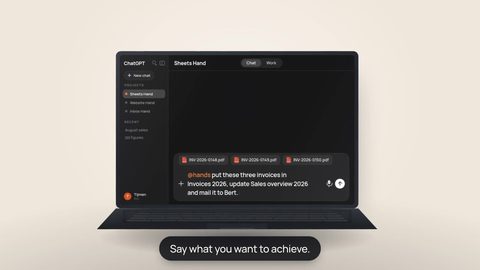
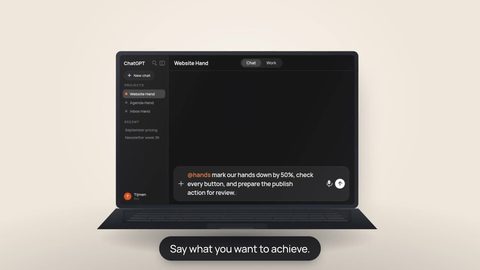
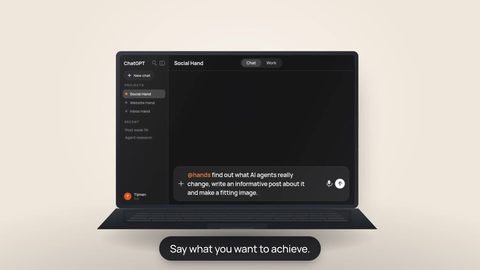



Hands creates a different split between the AI you talk to and the environment where the work actually happens. Instead of every coding request starting on the same laptop, terminal and IDE, a supported AI client can call your Hand and have the real project inspected, changed and tested there.
Hands makes the terminal a choice rather than the mandatory starting point for many tasks. Chat can be the interface; the Hand is the environment that executes the work.
What actually changed
Traditionally, the chain stays close to one computer: open the repository, start the terminal, open the IDE, choose the right AI extension or coding tool and work from that local context. That is powerful, but it also makes that machine the centre of the workflow.
Hands separates those responsibilities:
- ChatGPT or Claude can be where you describe the outcome, answer follow-up questions and steer the work.
- Your Hand has its own isolated Linux workspace where files and execution can live.
- Tools give the Hand concrete capabilities such as reading and searching files, editing code, running commands and following work.
- Apps and Connectors reach services outside the workspace within the authority of the connected account or credential.
- GitHub and other systems of record remain the durable source of truth; the conversation itself does not become one.
“Inspect the current beta branch, find out why the mobile navigation jumps, change only the frontend, run the focused tests and show the changes.”
Chat is the control layer, not the development machine
That distinction matters. “Coding from ChatGPT” can sound as if ChatGPT itself contains your repository, terminal and secrets. Hands enables the opposite model: the conversation stays the place for intent, context and decisions, while execution happens in an environment built for execution.
The Hand is that execution environment. The AI client therefore does not have to reproduce your entire local development stack. As long as the client can call the Hand, the same Hand can keep using its persistent workspace and connections.
The relevant question is not only which AI app has the best built-in terminal today, but whether the AI you want to use can safely reach the execution layer where your real work can happen.
Why a special Work, Cowork or coding mode matters less
AI vendors are building increasingly capable specialist work modes. OpenAI currently still distinguishes Chat, Work and Codex. Anthropic, meanwhile, is rolling out an experience that removes the distinction between ordinary Claude chat and Cowork for some users. Those product boundaries are moving quickly.
Hands makes your execution environment less dependent on the specialist agent environment a vendor designed for a task. If an ordinary conversation can reach your Hand, it can delegate work to an environment already set up for files, tools and external services.
That does not make Work, Cowork, Codex or Claude Code obsolete. They can be excellent when you need their local integration, native agent features or specialised coding experience. Hands mainly means they no longer have to be the only gateway to serious execution.
The real key is not more autonomy, but better-bounded autonomy
Providing many tools is not enough. Hands becomes useful when access and execution can be bounded: which actions may proceed without interruption and which require approval first.
That boundary is not implemented identically everywhere. In the current Claude connection guide, Hands recommends allowing read-only actions by default and keeping write or delete actions on Needs approval. Hands-managed Plugins can also publish action-level modes such as allowed, ask every time or automatic where the policy supports them. The AI client and provider may add their own controls on top.
That enables a smoother form of AI coding without giving the entire environment unlimited autonomy. Exact controls differ by client, Plugin, Connector and provider, so control remains an explicit product and configuration choice.
Why your phone can become a serious work interface
Hands means the execution environment does not have to live on the same laptop as the interface where you give the instruction. The same Hand can therefore be steered from another supported client or device.
If your AI client and connection support it, you can use your phone to ask for a branch inspection, prepare a change, review test results or continue a task. You do not first have to recover the same local IDE session.
Precise mobile availability differs by AI client, plan and connection type and changes quickly. Hands keeps the execution layer separate from that interface, so client changes do not automatically require rebuilding the whole workspace.
When a terminal or IDE is still better
A remote execution layer is not a reason to discard local development tools. A terminal or IDE is often still the better choice for:
- Fast visual debugging: when you want many small code and UI details visible side by side.
- Local hardware or simulators: when the task depends on your machine, a device or a local network.
- Exploratory programming: when you want to type directly, set breakpoints or move through a codebase interactively.
- New or untrusted automation: when you want to stay close to execution before granting more autonomy.
- Tooling the Hand cannot reach yet: a remote execution layer is only as useful as the required capability that is actually available.
The gain is not “never use a terminal again.” Hands means the terminal no longer has to be the fixed entrance for every AI task.
Hands as a portable execution layer between AI and your real work
When workspace, project context and tools hang off the Hand, the reasoning layer above becomes easier to switch. One task can start through ChatGPT and another through Claude without rebuilding a complete development environment around each model.
Hands becomes a portable execution layer between AI and your real work. The AI provider determines how well the model reasons and how good the conversational interface feels. Hands determines which controlled capabilities that AI can reach in your environment. Your repositories, accounts and data remain separate.
Hands means your way of working does not have to be organised entirely around one AI vendor's interface. Use ordinary chat when it is enough, choose a specialised agent mode when it adds value, and keep the same execution layer behind the work in both cases.
Product status: this landscape moves quickly
This Insight describes the checked product status on September 30, 2026. OpenAI currently documents Chat, Work and Codex as separate experiences and lets Plugins/Apps use tools and actions in supported ChatGPT conversations. Anthropic is simultaneously rolling out a Claude experience in which chat and Cowork merge for some users. Availability across web, desktop and mobile varies by product, plan, workspace and connection type.
- OpenAI — ChatGPT Work and Codex
- OpenAI — Plugins in ChatGPT and Codex
- Anthropic — Claude Cowork and chat are one Claude
- Anthropic — desktop and web connectors
Use AI chat as the control layer and Hands as the execution layer.
Connect your Hand to the AI you want to use, inspect the tools it exposes and set permissions deliberately: smooth for safe actions, review where the impact is higher.